8. Programming
SECTION 2: ALGORITHMS, PROGRAMMING AND LOGIC
Important Note
These notes cover the main points for revision. They are great for reviewing key concepts, but for in-depth understanding, always keep your textbook nearby for reference.
Programming is the process of creating instructions for computers to execute. This chapter covers fundamental programming concepts including variables, constants, control structures (sequence, selection, iteration), procedures, functions, and file handling.
Table of Contents
8.1 Programming Concepts
8.1 Programming Concepts
Key Constructs in Programming
1. Data Use
Variables, constants, and arrays for managing data
2. Sequence
Ensures tasks are performed in the correct order
3. Selection
Allows decision-making to choose paths in a program
4. Iteration
Repeats sequences of steps within the program
5. Operator Use
Arithmetic: for calculations. Logical and Boolean: for decision-making
8.1.1 Variables and Constants
Definitions
Variable
A named data store that can change during program execution.
Example: Radius = 5 (can be updated later)
Constant
A named data store with a fixed value.
Example: CONSTPI = 3.142 (remains unchanged)
Pseudocode Examples
Variable Declaration
Constant Declaration
Python Examples
Variables
Constants
Note: Python does not enforce constants. Programmers use naming conventions (e.g., uppercase) to indicate constants.
Key Practices
- • Use meaningful names for variables and constants for clarity
- • Declare constants and variables explicitly when required
- • Some languages (e.g., pseudocode) mandate explicit declarations
8.1.4 Basic Concepts
When solving problems programmatically, the following concepts are crucial:
8.1.4(a) Sequence
Sequence defines the order of execution for program steps. Incorrect sequence can lead to:
- • Incorrect results
- • Unnecessary steps
Example: Pseudocode (Incorrect Sequence)
Test Data: 25, 27, 23, 999
Outputs: Incorrect
Example: Corrected Sequence
Test Data: 25, 27, 23, 999
Outputs: Correct
Python Example
8.1.4(b) Selection
Selection allows decision-making based on conditions. Common techniques:
- • IF Statements: For single or multiple conditions
- • CASE Statements: For handling multiple choices
IF Statement Examples
Pseudocode: IF Statement (Single Condition)
Python: IF Statement
Pseudocode: IF-ELSE Statement
Python: IF-ELSE Statement
CASE Statement Examples
Pseudocode: CASE Statement
Python: CASE Equivalent (Using if-elif-else)
8.1.4(c) Iteration
Iteration allows repeating a section of code under certain conditions. There are three types of loops:
1. Count-Controlled Loops
Fixed number of iterations
2. Pre-Condition Loops
May have no iterations (condition checked first)
3. Post-Condition Loops
Always has at least one iteration (condition checked later)
Count-Controlled Loops
Pseudocode
Python
Pre-Condition Loops (WHILE)
Pseudocode
Python
Post-Condition Loops (REPEAT UNTIL)
Pseudocode
Python Alternative (No Native Post-Condition Loop)
8.1.4(d) Totalling and Counting
Totalling
Summing values over iterations
Counting
Tracking the number of iterations or events
Pseudocode
Python
8.1.4(e) String Handling
Common String Operations:
Find Length
Pseudocode:
Python:
Extract Substring
Pseudocode:
Python:
Convert to Uppercase
Pseudocode:
Python:
Convert to Lowercase
Pseudocode:
Python:
8.1.4(f) Operators
Arithmetic Operators
| Operator | Action | Python Example |
|---|---|---|
+ | Addition | result = 5 + 3 |
- | Subtraction | result = 5 - 3 |
* | Multiplication | result = 5 * 3 |
/ | Division | result = 5 / 3 |
** | Exponentiation | result = 5 ** 3 |
% | Modulus | result = 5 % 3 |
Logical Operators
| Operator | Action | Python Example |
|---|---|---|
> | Greater than | if a > b: |
< | Less than | if a < b: |
== | Equal | if a == b: |
>= | Greater than or equal | if a >= b: |
<= | Less than or equal | if a <= b: |
!= | Not equal | if a != b: |
Boolean Operators
| Operator | Description | Python Example |
|---|---|---|
and | Both conditions true | if a > 0 and b > 0: |
or | Either condition true | if a > 0 or b > 0: |
not | Reverse the condition | if not a > 0: |
8.2 Advanced Concepts
8.2.1 Nested Statements
Nested statements allow one type of control structure to be placed within another. This technique:
- • Reduces code duplication
- • Simplifies testing and debugging
Examples of nesting:
- • Selection within Iteration
- • One Loop inside Another Loop
Example: Nested Loops (Pseudocode)
Python Example: Nested Loops
8.2.2 Procedures and Functions
Procedures
Performs a task but does not return a value
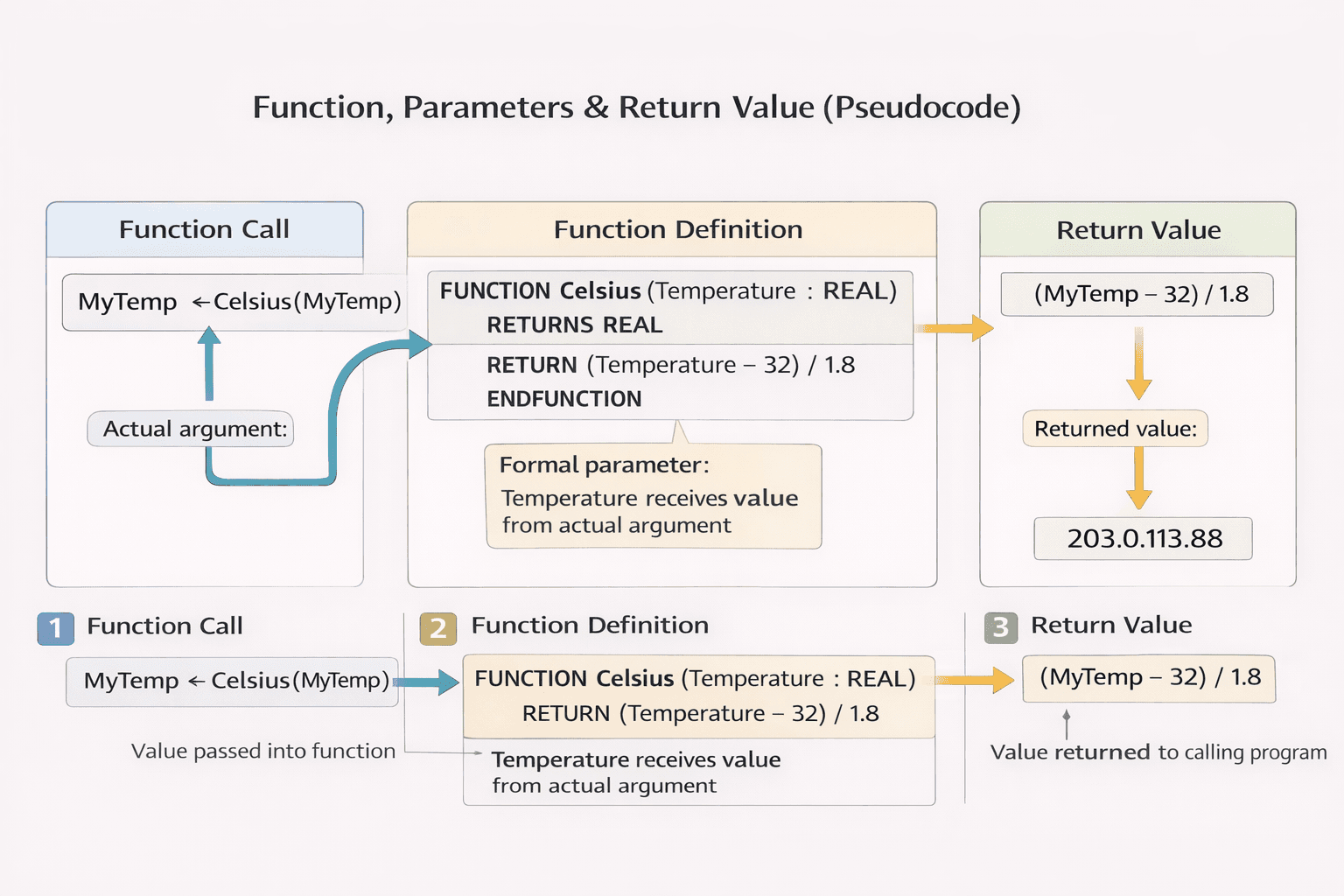
Functions
Performs a task and returns a value
Note for Past Papers: Calling a function or procedure is also known as transferring control to the procedure. In exam questions, you may see the phrase "transfer the control of the program" used to describe this action. When a function or procedure is called, the program control is transferred to it, executes its code, and then returns control back to the calling code.
Procedure Examples
Procedure Without Parameters
Pseudocode:
Python:
Procedure With Parameters
Pseudocode:
Python:
Function Examples
Function With Parameters
Pseudocode:
Python:
Finding Maximum Number: Procedure vs Function
As a Procedure:
As a Function:
Past Paper Question
Exam Style8 Explain why a programmer would use procedures and parameters when writing a program.
Mark Scheme:
Procedures (max three):
- To enable the programmer to write a collection of programming statements under a single identifier
- To allow modular programs to be created // to allow procedures to be re-used within the program or in other programs
- To make program creation faster because procedures can be re-used // to enable different programmers to work on different procedures in the same project
- To make programs shorter (than using the repeated code) / using less duplication of code // to make programs easier to maintain due to being shorter
Parameters (max three):
- To pass values from the main program to a procedure / function
- ...so that they can be used in the procedure / function
- Allow the procedure / function to be re-used with different data
8.2.3 Local and Global Variables
Global Variables
- • Declared outside of functions or procedures
- • Accessible throughout the program
- • Scope: Entire program
- • Memory: Not recovered until the program terminates
Local Variables
- • Declared inside a function or procedure
- • Accessible only within that block
- • Scope: Restricted to the specific function or procedure
- • Memory: Recovered at the end of the procedure
Example: Pseudocode
Python Code
8.2.4 Library Routines
Common Library Functions
Pseudocode Examples
Python Code
8.2.5 Creating Maintainable Programs
Tips for Writing Maintainable Code
1. Use Meaningful Names
For variables, constants, procedures, and functions.
Example: Use total_marks instead of x
2. Modularize Your Code
Divide tasks into functions or procedures.
Each module should handle one specific task.
3. Comment Your Code
Explain complex sections and logic.
Use the commenting syntax of your language:
- • Python:
# - • Visual Basic:
' - • Java:
//(single-line) or/* */(multi-line)
Example: Maintainable Python Program
8.2.6 File Handling
File handling allows programs to read from and write to files for persistent data storage.
Writing to a File (Pseudocode)
Reading from a File (Pseudocode)
Python File Handling
Past Paper Question
Exam Style7 (a) Outline why it is useful to store data in a file.
Mark Scheme:
- Data stored in a file gives a permanent copy / prevents the data from being lost
- ...so it can be recalled / used again in a program / in another program
- Can be stored elsewhere / transferred to another computer
8.2.7 Arrays in Programming
One-Dimensional Array (Pseudocode)
Two-Dimensional Array (Pseudocode)
Python Arrays (Lists)